 Katorion
2026-10-19
The Dahua turnstiles are already there. Why is the timesheet still built on one office PC?
A familiar picture
A company has Dahua turnstiles or face and card terminals. Every arrival and departure is recorded correctly. But to see who was late today, someone has to walk to the computer where SmartPSS Lite is installed. The monthly timesheet for accounting means an export, a forwarded file and a manual check. A manager on the road sees nothing.
The hardware is not the problem. It does its job. The problem is that the data is locked in one program in one place.
Why it happens
SmartPSS Lite is Dahua's free device management software. It can count attendance and build reports, but it is a desktop program: the database is local and the reports open on the same machine. In the usual setup there is no remote access for an accountant or a manager, no read-only role, and no record of who corrected what.
The options
One: change nothing. Once a month someone sits at the office PC and builds the timesheet. It works while the team is small and nobody asks "who is in right now?".
Two: remote desktop into that same computer. Quick, but it gives access to the whole PC rather than the reports, and to one user at a time.
Three: a separate time-tracking system with its own terminals. New hardware, new training, and every setting moved by hand.
Four: keep the turnstiles and SmartPSS as they are and bring the attendance data to the browser. That is what we did for a client.
What we built
Passes from the Dahua turnstiles sync to a server, so the portal sees them without connecting to the device. The client's hardware and SmartPSS stayed as they were.
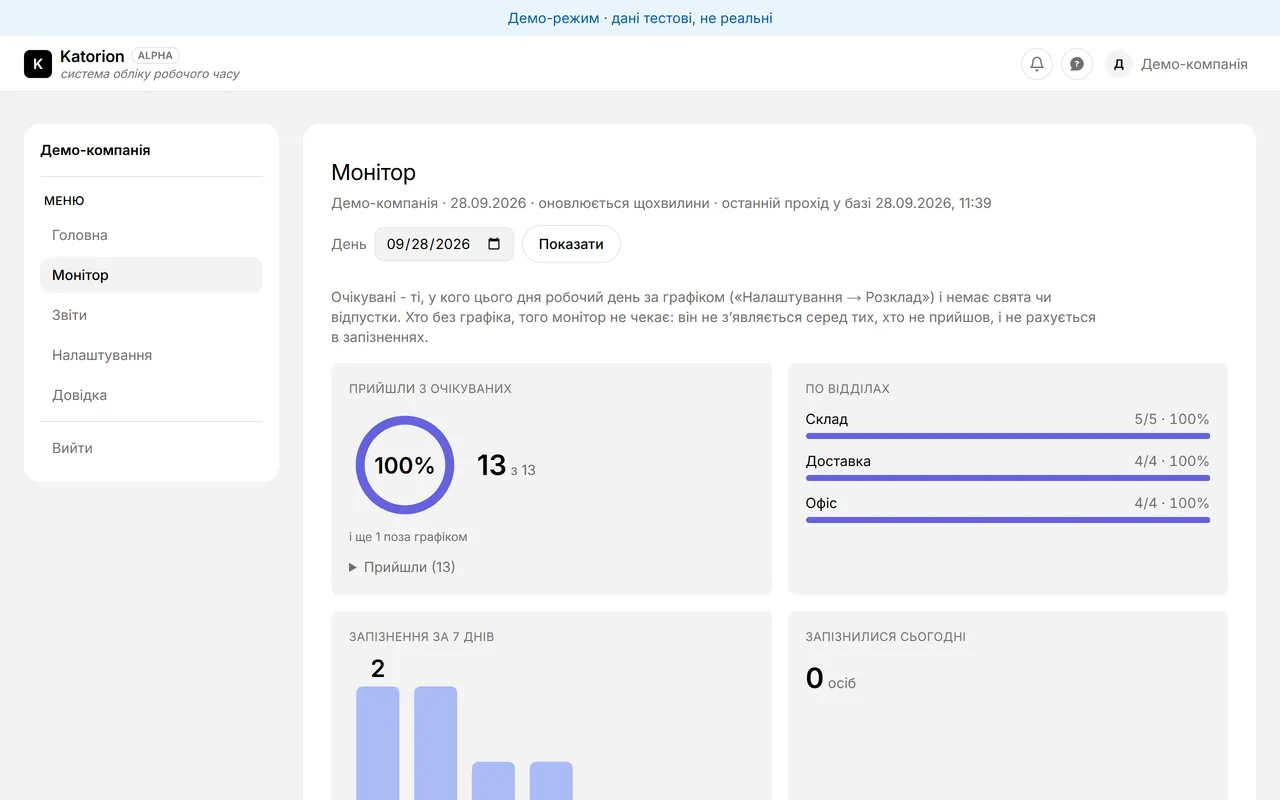
The day monitor shows who of the people expected by the schedule has arrived, by department, lateness over 7 days and the latest passes. It refreshes every minute.
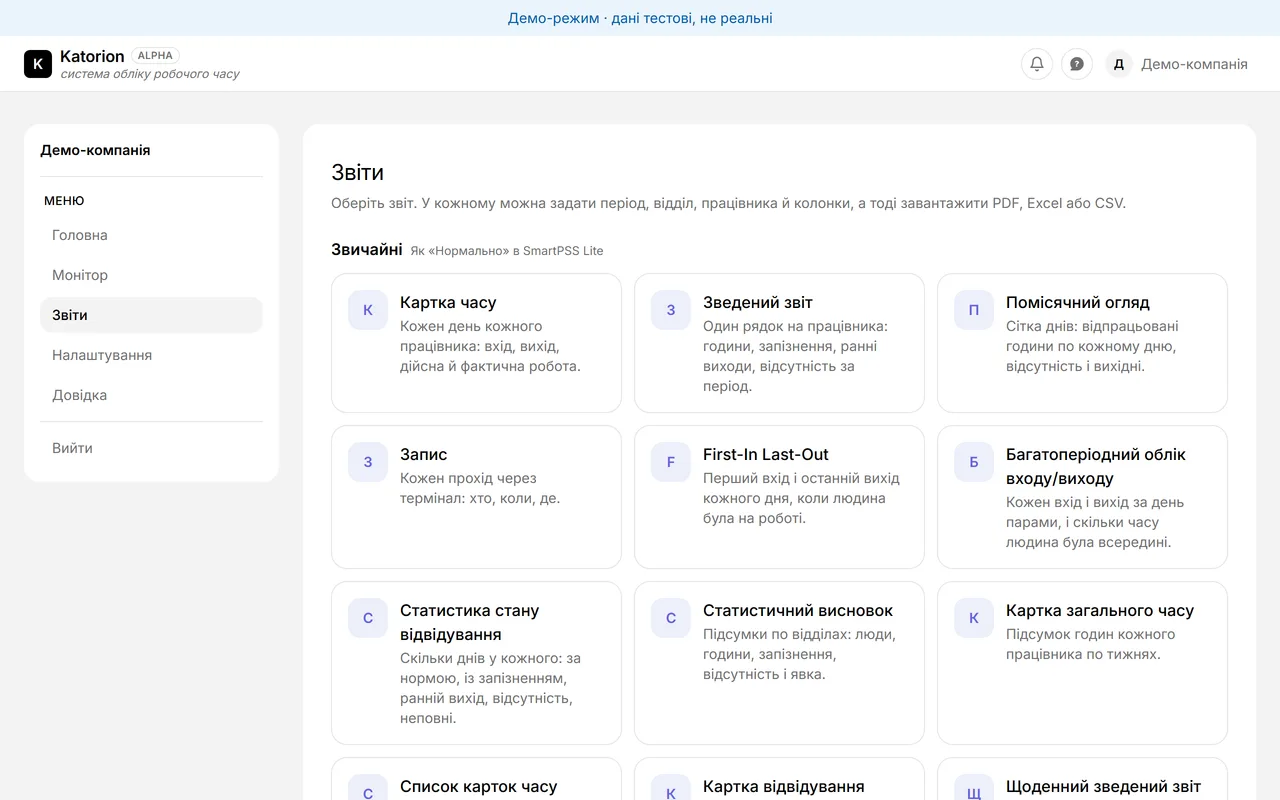
21 reports moved over, in the same groups as in SmartPSS Lite: time card, summary, monthly, late arrivals, absences, overtime and more. Columns are selectable, and every report exports to PDF, Excel and CSV.
The settings moved too: periods, shifts, schedules per person, department or everyone, temporary schedules, leave and holidays. A missed punch can be corrected, and the portal records who did it. Reports recalculate on their own after a change.
Access and security
Once attendance data leaves the office, "who can see it" becomes the main question. So the portal has Administrator and Viewer roles: an accountant sees the reports but cannot change the schedules. Every login is recorded with its IP address, and the company's administrator can see that log.
Each company's data sits in its own database. The company is taken from a signed session, never from the page address or a form, so swapping a link cannot open another company. Passwords are stored as PBKDF2 hashes, and after 10 failed logins within 15 minutes that email is locked out for the rest of the window.
Is it a fit for you
Three questions. Do you run Dahua hardware with SmartPSS Lite? Does someone who does not sit at that computer need the reports? Does someone spend time every month building the timesheet by hand?
If you answered yes twice, try the demo at tas.katorion.io: no sign-up, generated data. The portal is in alpha, so we set up each connection together with you. Tell us what hardware you have and how many people, and we will tell you what connecting takes.
Have a technical problem?
Leave a request - we'll get in touch to work out how to approach your specific problem.
Discuss a project